
|
| The Document AI Connector is Now Available in Power Automate |
| 1/28/2026 - Brian O'Neill |
We’re excited to announce the launch of our Document AI API connector in Power Automate! The Document AI connector is now available in Power Automate’s premium connector library and can be accessed with your Cloudmersive API key. This means you can now implement AI-powered field extraction, table extraction, document classification, and many other valuable actions in your no-code document processing workflows. What is Document AI?The Cloudmersive Document AI API is a document-centric advanced AI library built on Cloudmersive’s proprietary AI platform. It’s designed to help teams automatically understand and control documents as they move through enterprise workflows, and it aims to solve one of the most persistent problems in document automation: turning unstructured files into structured, usable data which downstream people and systems can easily work with. The Document AI library offers a host of intelligent document processing capabilities capable of extracting information from complex file containers (e.g., Excel, PDF, Word) and document images (e.g., scanned & photographed documents in JPG, PNG, and other image formats) alike. Document AI offers the following core solutions:
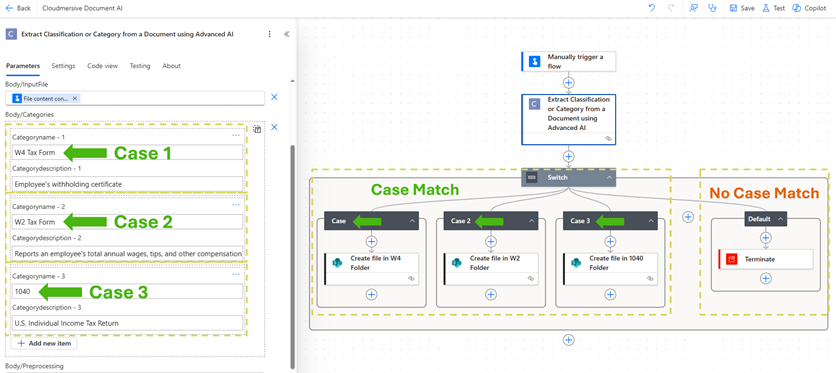
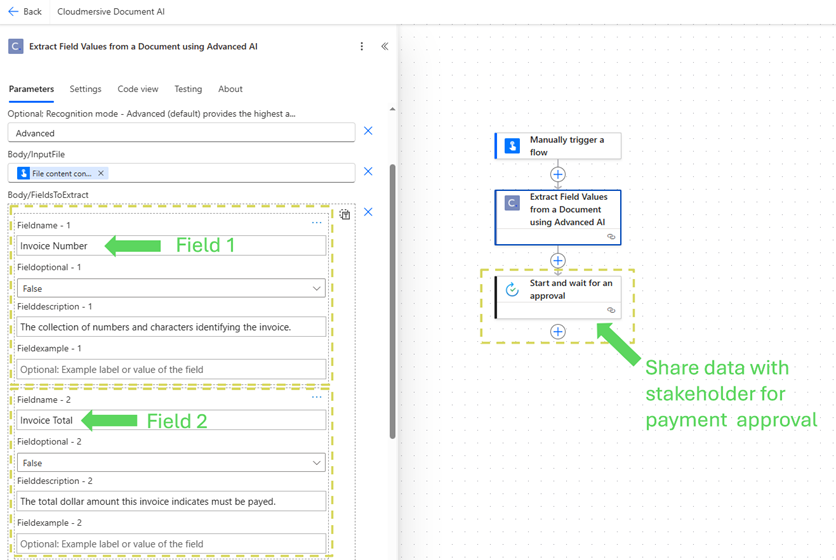
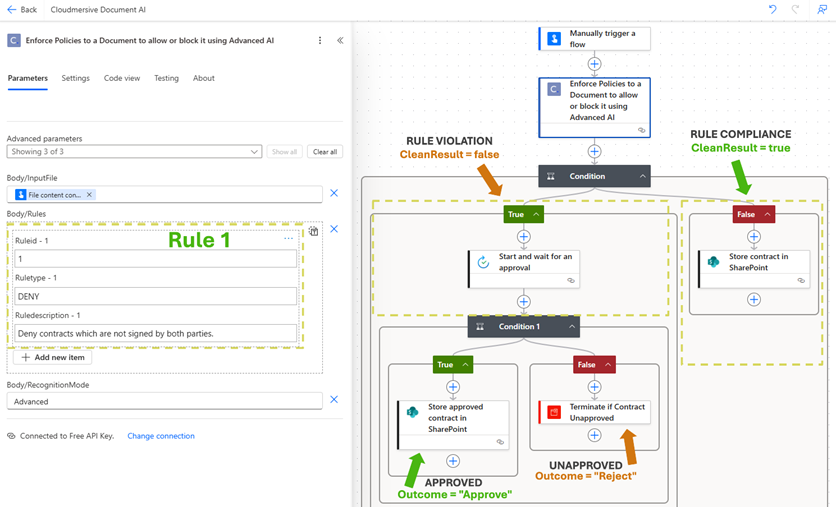
All these solutions are now available as actions in Power Automate. Using the Document AI Connector in Power AutomateThe Document AI connector allows you to seamlessly implement AI-powered document understanding directly into your no-code workflows. The connector can be found in the Power Automate library using the search string “Document AI”. After you’ve established a Document AI connection with your Cloudmersive API key, you can begin immediately implementing and utilizing Document AI in your new or pre-existing document processing workflows. Document AI Connector Implementation ExamplesYou can, for example, implement the Additionally, you can implement the As one final example, you can implement the Final ThoughtsThe Document AI connector makes document understanding and compliance automatic in your Power Automate workflows, circumventing the need for brittle data extraction solutions and mandatory human intervention. For more expert advice on implementing and utilizing the Document AI connector in your Power Automate workflows, please do not hesitate to contact a sales representative. |
Jetzt registrieren oder 

 Blog
Blog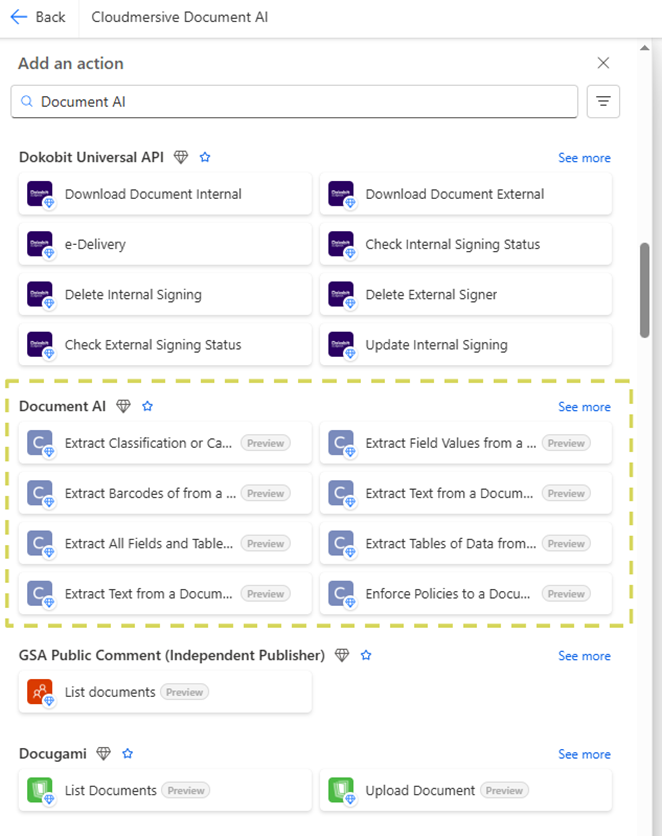
 Virenscan-APIs
 Content Disarm and Reconstruction APIs
 Spam-Erkennungs-APIs
 APIs für Dokumentenkonvertierung & -verarbeitung
 Document AI APIs
 Natural Language Processing (NLP) APIs
 Optical Character Recognition (OCR) APIs
 APIs für Bild- und Gesichtserkennung und -verarbeitung